
Built to Be Found
When’s the last time you updated your website?
Web experts commonly recommend redesigning a nonprofit website every three to five years—about the life of a car battery or a bike helmet, only with far more hassle and expense. It may seem unfair that a website built in 2023 could already be due for attention, but technology moves incredibly fast these days. Three years ago can feel like last Tuesday until someone opens the homepage on a new phone.
Once a redesign is on the table, every possible decision rushes in at once. Should the organization change its color scheme? Rewrite the About Us page? Update everyone’s bio? Add a blog? Reorganize the menu?
Before the photographer blocks out headshot day, there’s a more useful place to begin: What should visitors be able to learn and do when they arrive?
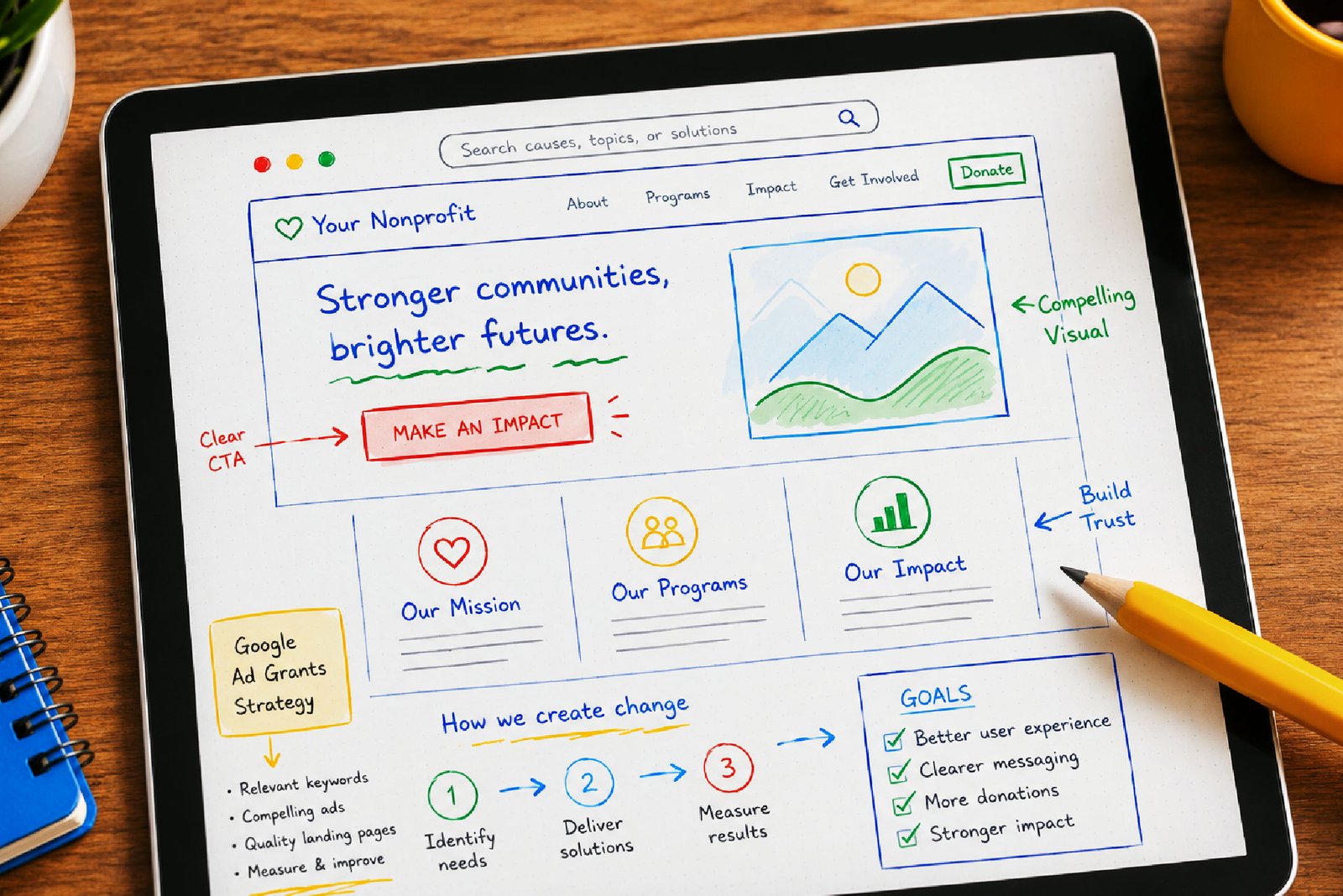
That question can send a redesign committee in ten different directions, but Google has helpfully narrowed the field. Its website standards for Google Ad Grants provide a practical framework for nonprofit sites, covering content, navigation, mobile performance, security and useful visitor actions.
Google knows a few things about being found online. It has also attached one heck of an incentive for following its lead.
Free Search, Some Assembly Required
If you’re a charitable nonprofit, there’s a good chance your organization qualifies for Google Ad Grants. The program provides up to $10,000 each month in free Google Search advertising, helping nonprofits reach new supporters, volunteers and the people who need their services.
That means a housing nonprofit can appear when someone searches for help buying a first home. A community organization can promote summer programs when parents start looking. A historic site can reach people planning a weekend outing. The ads meet people at the exact moment they’re already seeking something connected to the mission.
What’s the catch? This advertising credit comes with homework. Campaigns need relevant keywords, original text, thoughtful organization, and clear, targeted goals. Unlike a one-time award, Google Ad Grants can continue year after year—as long as someone keeps the ads active and up to Google’s standards.
Still, up to $10,000 a month is a remarkable opportunity for an organization with limited advertising money. It makes sense that before Google sends searchers your way, it wants to know they’ll arrive somewhere credible, functional, and worthwhile.
That makes the website review a valuable part of the redesign process. Google knows what its users are looking for. If your site doesn’t meet its requirements, you can use Google’s policies and feedback to tighten up the problem areas and try again.
Basically, the program hands nonprofits a free blueprint for building a website that searchers can actually use. In 2026, search engines have more questionable content to sort through than ever: copied text, automated filler, abandoned pages and websites built for “branding” rather than engagement.
Google’s standards reward the opposite: original, specific content about what your organization does, written in plain language. The site also needs to work as promised.
Here’s what that looks like in practice.
Google’s Rules of the Road

Here’s how to make a nonprofit website more useful to visitors—and considerably more attractive to Google.
-
Make the Mission Obvious
What Google wants: Substantial, original information that clearly explains the organization’s mission and activities.
A visitor should be able to understand what the nonprofit does, whom it serves and how its programs work without translating a grant narrative or conducting a scavenger hunt through the annual report.
What to build: Give the homepage, About section, program pages and contact page enough useful information to stand on their own. Explain who each service is for, what it provides and how someone can participate or get help.
PDF brochures, flyers and reports can support those pages, but they shouldn’t carry the whole informational load. Core material belongs directly on the website, where people can read it easily on a phone and search engines can make sense of it.
Much of this content may already exist in staff presentations, funding applications or the answers employees repeat every week. A redesign is a good excuse to pull it together and put it where the public can find it.
-
Give People a Next Step
What Google wants: Clear, functional ways for visitors to engage with the organization.
Every landing page—the page someone reaches after clicking an ad or search result—should lead somewhere useful. Depending on the mission, that might mean requesting assistance, registering for a program, signing up for email updates, volunteering or making a donation.
Google calls these actions “conversions.” The word sounds technical, but it simply means a visitor did what the page invited them to do.
What to build: Plan these actions before the page layouts are finished. Decide where each button leads, what information a form collects, who receives the submission and what happens after someone clicks Send.
Then test the entire route. Complete the form from a phone. Test sign-ups, donations, and contact forms. Read the automatic replies. Make sure messages aren’t disappearing into an inbox last checked by an employee who left two years ago.
Google looks for working links, active calls to action and secure donation pages. Visitors expect the same, generally with less patience and no helpful rejection notice.
-
Clear the Path
What Google wants: Straightforward navigation and fully functioning pages.
Nonprofit websites sometimes mirror the organization chart more closely than the visitor’s needs. Internally, it may make sense to organize pages by department. Visitors are more likely to look under plain labels such as Services, Events or Get Help. They shouldn’t need an org chart to find what they need.
What to build: Use menu labels people already recognize, such as About, Programs, Services, Events, Get Help, Volunteer, Donate and Contact. Avoid internal department names or clever wording that makes visitors guess where the information lives.
Put the pages people need most in the main menu, and keep important actions—such as applying, registering, donating or requesting help—within a click or two of the homepage.
Check every internal and external link before launch. Remove empty pages, forgotten event listings and ancient “under construction” notices.
A broken-link checker can catch plenty of small problems quickly. Clear organization also helps staff maintain the site later, since everyone can see where new information belongs instead of adding another miscellaneous page to the menu and hoping for the best.
-
Build for Phones and Impatient People
What Google wants: A site that loads quickly and works properly on smartphones and tablets. Fun Fact: more than 70% of nonprofit website traffic in 2025 came from mobile devices.
The redesign presentation will probably happen on a large monitor with a strong internet connection. Plenty of visitors will meet the finished site on a phone, perhaps outdoors, on public transit or somewhere with one shaky bar of service.
What to build: Use a responsive design that automatically adjusts to different screen sizes, then test the menus, forms, buttons and text on several phones and tablets. Compress large photographs, skip unnecessary plugins and scripts, and use hosting that can load the site reliably.
Google PageSpeed Insights can test individual pages and point out performance problems, creating a concrete list to address before final approval. Maybe rethink that full-screen homepage video? It may be spectacular, but only if visitors wait for it to load (spoiler alert: they won’t).
-
Keep It Secure—and Keep the Keys
What Google wants: A secure website controlled by the nonprofit itself.
The full site should use HTTPS, including forms and donation pages. The organization must also own and control the domain used in its ads. A .org address isn’t required; administrative control is.
What to build: Confirm access to the domain registrar, hosting account, content management system and analytics tools during the redesign. Tie accounts to organization-controlled email addresses whenever possible, and store the credentials securely.
The answer to “Who owns our domain?” should never be “possibly our former board treasurer’s nephew.” Document who has access and who is authorized to make changes.
Google Provides the Syllabus
The best part about cribbing from Google is that the instructions come with plenty of supporting material. Its Help Center walks nonprofits through eligibility, verification, activation and campaign setup, with plain-language explanations, videos and tutorials out the wazoo.
A tech-comfortable staff member or volunteer may be able to handle much of the work directly. Everyone else can use those resources to follow the project, understand what the developer is recommending and offer informed input without pretending to be a web designer.
Outside support may still be the practical choice. Writing useful program pages, developing the website, installing conversion tracking and managing ad campaigns are different jobs. A small nonprofit may have some of those skills in-house and need help with the rest.
Go Get It
Once the redesign is complete, go ahead and apply for Google’s grant. Approval provides a satisfying sign that your new website has cleared a serious set of standards. It’s also a major advertising opportunity within reach.
No pressure, though. Get approved while the website is fresh, then pause the grant until your organization is ready. There’s no cost or penalty for waiting.
Managing the grant takes time and some know-how, but it can be an ideal use of a modest freelance budget. A local digital marketer or Google Ads specialist can set up the campaigns, keep an eye on performance and handle the routine maintenance without adding another job to an already busy staff.
For small nonprofits, that kind of focused outside help can be far more practical than trying to build the expertise in-house. Meanwhile, figuring out how to use $10,000 in free Google ads is not a bad problem to have, especially with a robust new website to support it.
Five Signs Your Website is Ready for an Upgrade
Three to five years is a handy rule of thumb, but your website will usually tell you when it’s ready for attention.
- Staff struggle to make ordinary updates.
Changing a program date, staff name or homepage announcement requires a developer, a complicated workaround or help from the one person who understands the system. - The organization has changed around it.
Programs, audiences or priorities have evolved, while the site still describes an earlier version of the nonprofit. - Visitors keep asking where to find things.
Staff regularly answer questions the website should handle, or people abandon forms and call because the online path is confusing. - The mobile version feels like an afterthought.
Pages load slowly, menus are difficult to use, text is tiny or forms become frustrating on a phone. - Nobody is sure who controls the accounts.
Domain registration, hosting, website administration or analytics access is still tied to an old vendor, former employee or mystery email address.
The payoff is clear: use Google’s own standards to build a website that works better for users, and is ready to roll with up to $10k/month in free ad money.
Thanks for stopping by—glad you found us.
This blog is powered by East Falls Media, where we help small businesses, nonprofits, and local governments communicate with clarity and purpose.